
(We have since changed up our Flickr tools, but many of the instructions are similar - We also have a video to help explain it)
Flickr Gallery Plugin allows you to display anything with a few uses of shortcodes. You do have to setup a Flickr API to access your account. I suggest creating a shared group, open to the public (read more on how to do that on Flickr's site). Tell your members to post pics to that, and use this plugin to display them on the wbepage.
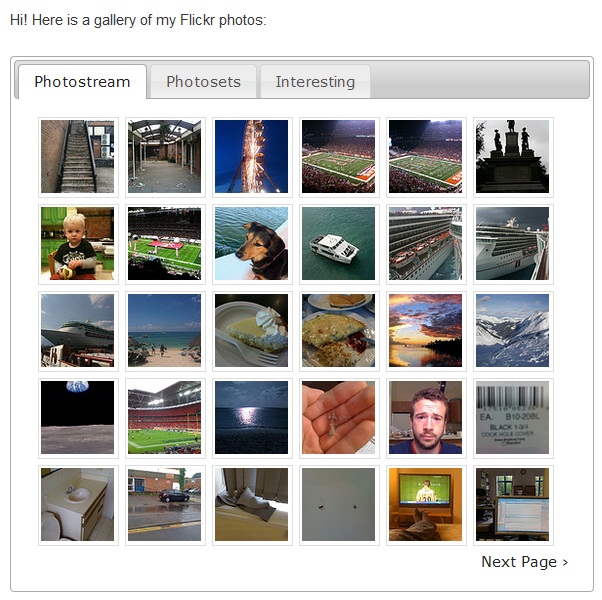
Using just a simple piece of shortcode, you can link directly to your entire gallery:
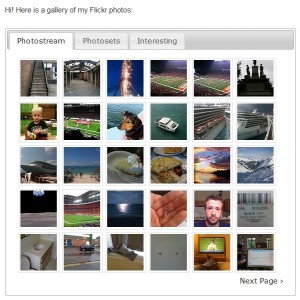
- Screenshot of Gallery
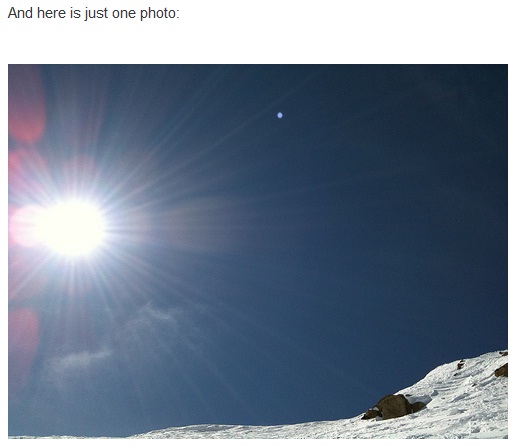
Or you can pull a single image from Flickr simply by referring to its unique ID:
- Just a single photo using the photos unique id
Or only display things with a specific tag, or tags.
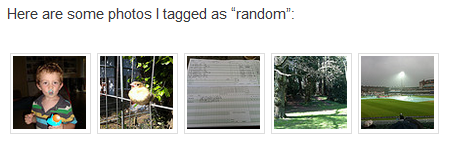
- displaying based on tags
There are a few other settings and features, which may be useful. Here are all the short codes!
Usage
[flickr-gallery]- Creates a generic gallery for the user you specified in your settings page.[flickr]http://www.flickr.com/photos/dancoulter/2619594365/[/flickr]- Inserts the given image. You can also just put the photo ID in there (the numeric string at the end of the link).
Other options:
[flickr-gallery mode="photoset" photoset="72157605870230826"]- Displays all of the photos from the given Flickr photoset.[flickr-gallery mode="tag" tags="foo" tag_mode="all"]- Shows photos from your photostream with the specified tags (comma separated). If you leave off the tag_mode option, it defaults to "any".[flickr-gallery mode="recent"]- Shows recent photos from your photostream[flickr-gallery mode="interesting"]- Shows interesting photos from your photostream[flickr-gallery mode="search" tags="foo" group_id="46862018@N00"]- The search mode supports any arbitrary sort using the options listed here:http://www.flickr.com/services/api/flickr.photos.search.html[flickr size="small" float="left"]http://www.flickr.com/photos/dancoulter/2619594365/[/flickr]- Sets the size of the inserted image to "small" (defaults to "medium") and makes the next paragraph of text wrap around to the right of the image (you can specify "right" for the float parameter as well, which defaults to "none")[flickr height="300" width="400"]http://www.flickr.com/photos/dancoulter/2422361554/[/flickr]- This one is a video. It'll automatically embed the flash movie for you. If you want to change its size, you can use the width and height options.
Advanced options:
- If you want to disable pagination, just include
pagination=0in your shortcode.
Setting It Up
This sounds harder than it is, don't let the names of things fool you! It's super easy! First of all, you need to Activate the plugin in your plugins Dashboard (Extras! customers only). Then head to the settings screen in dashboard (SETTINGS > Flickr Gallery) where you will be prompted for an API key:

- Where you enter the api key
Click the API Key link, this will send you to the Flickr App Garden where you can apply for an api key. You need a Free Flickr account for this. Once you're logged in, this is what you'll see

- Setting up your App to get your API key, just add a name and description, super easy!
You should then be presented with your API key and “secret” copy these down, or leave this browser open. Go back to your site in another tab/browser for easy copy and paste. Do NOT accidentally copy spaces!

- we hid our secret key, but you get the idea.
Now go back to your Club's website on Clubhosting, and in the Dashboard > Flickr Gallery settings page, enter the keys.

- copy and paste, how quick was that?
If you don’t know your User ID, you can use the drop down box to select from your User Name, Email Address, or Flickr photopage URL (e.g. http://www.flickr.com/photos/clubhosting). That is literally all you need to do to get up and running!
Our favorite Shortcodes (complete list at beginning of article)
Now you just need to insert the relevant piece of shortcode where you want your photo(s) to be displayed.Here are the best choices: [flickr-gallery] – as you might expect, this displays a gallery of your Flickr images. You can set the number of images to be displayed, and the tabs to be shown, in the settings screen. [flickr]6394973101[/flickr] – this displays a single image. The numbers represents the unique ID of whichever image you want to show. [flickr-gallery mode="tag" tags="yourtag" tag_mode="all"] - this shows all images with the named tag. You can include multiple tags with comma separation (e.g. ‘tags=”tag1, tag2″‘) ds
Comments
0 comments
Article is closed for comments.